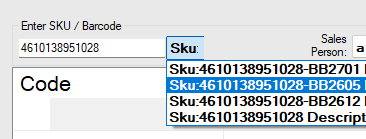
To manage inventory for batch numbers, lot numbers, best-before dates, and expiry dates, create a sub-SKU for each batch and print corresponding barcode labels. (Alternative solution: see #7 in-Store Locations Without creating sub-SKUs)
1. Create a product attribute “Batch Parent Sku”.
2. Create a SKU and make a purchase order as normal.
3. Add the batch number after receiving the PO.
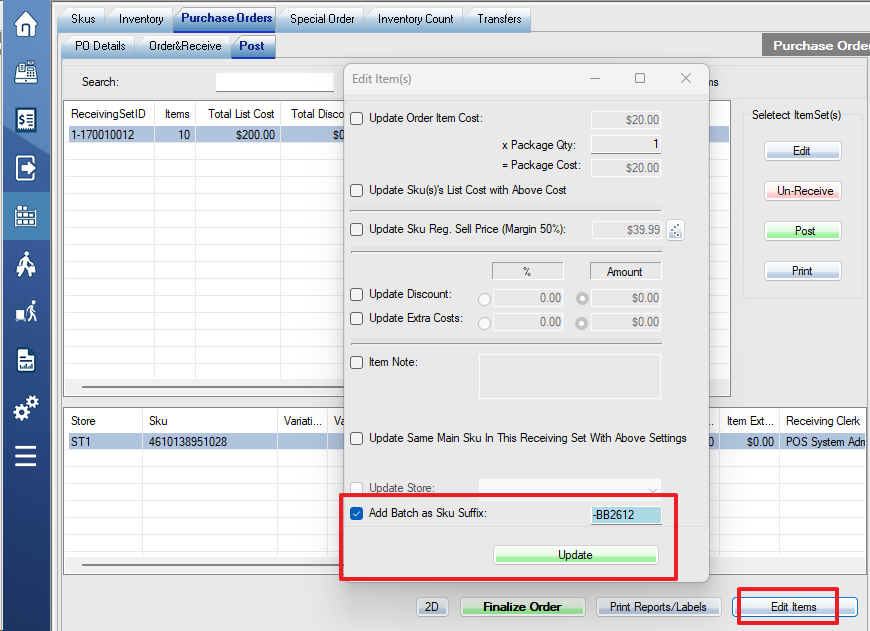
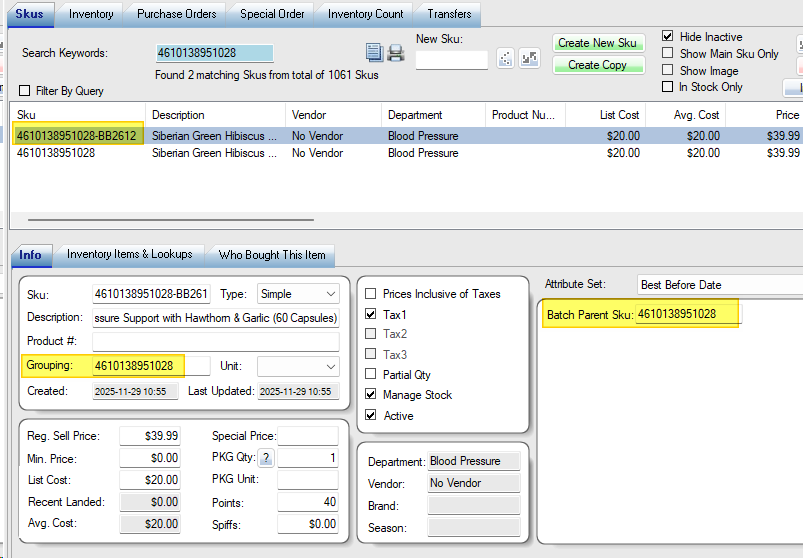
The system will automatically create the sub-SKU with the batch number as a suffix.
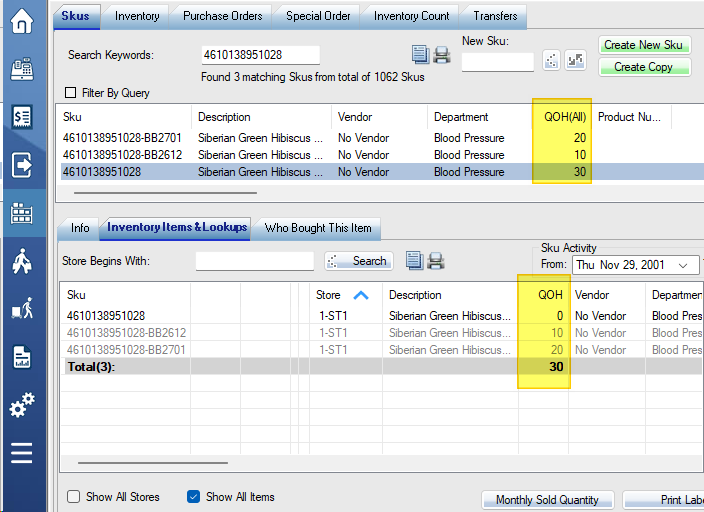
The stock quantity will be automatically added to the main SKU.
Please print the barcode for each sub-SKU with the batch number appended. If you use the main SKU when selling, please turn on switch 34 in the store settings, and the system will pop up sub-SKUs selection.