

Forum Replies Created
-
I think so. Please double check with PAX and your processor if this model works with PAX POSLink semi-integration. if yes, this will work.
You should print the “Inventory By” report. Select the date (of the inventory) before clicking the Preview button.
If you want to get the total from inventory count, you can export the data to Excel, and use Excel to get the totals.
You should create new SKUs if the prices and manufacturers are different.
If you want custom work, please email us the GUI (graphical user interface) what do you like to display.
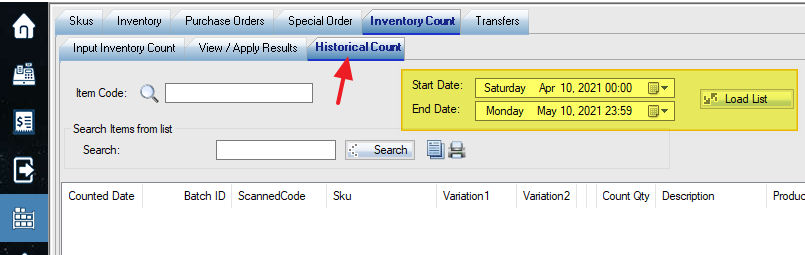
You can check the “Historical Count” tab, select date range and “Load List”.
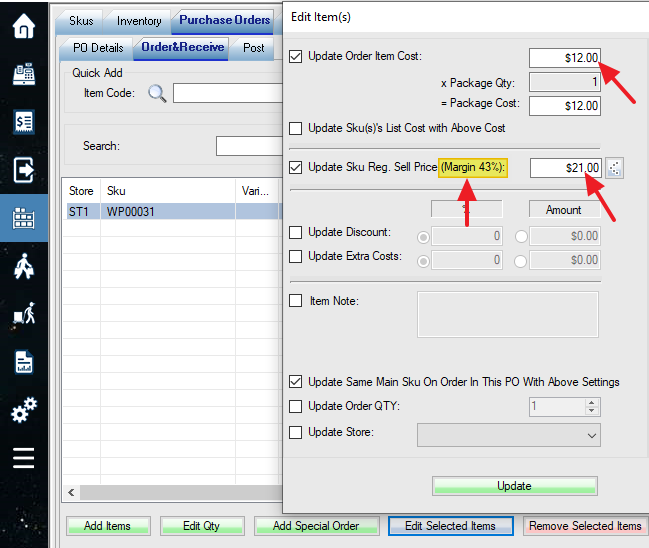
You can change the regular price when changing the cost (Edit Selected Items) in the purchase order.
We don’t have an alert for pricing. But you can build a query for margin below a certain point, then bulk update prices.
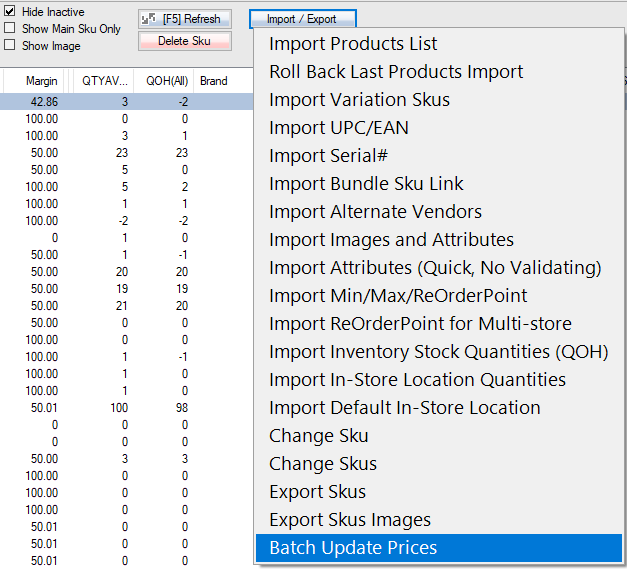
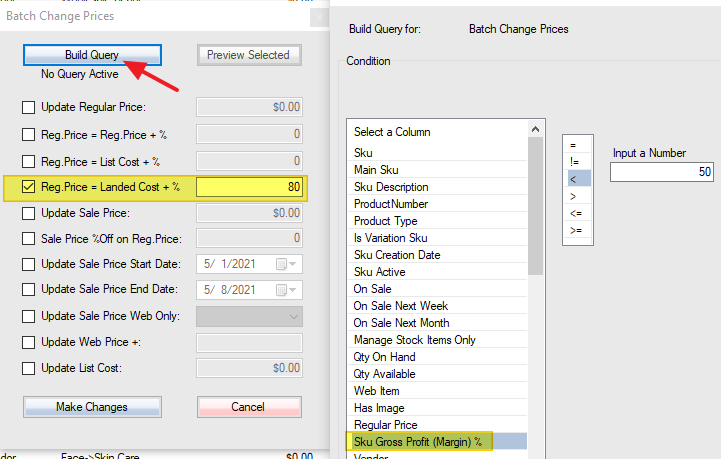
You can also set up price by suggested margin:
The margin could be based on list cost, average cost or last landed cost. See switches 023 and 024 in the store settings.
Because of this (C for currency): format(…,’C’)
Use this instead (2 for 2 decimal point):
convert(numeric(11,2),(ItemCost-DiscountAmount+ExtraAmount)*QtyOrdered)
Please use this in special field:
format((ItemCost-DiscountAmount+ExtraAmount)*QtyOrdered,’C’)
You can remove the prefix.
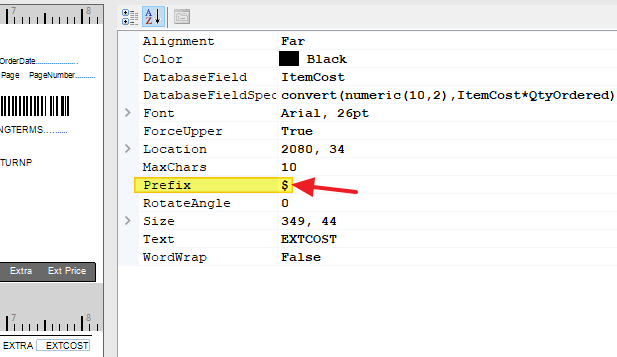
Or use format(…,’C’) for your local currency you set up in Windows Control panel. More details here: https://database.guide/how-to-format-numbers-as-currency-in-sql-server-t-sql/

Please get an upgrade. You can print from the main PO listing screen.
You can manually bulk upload stock quantities in Setup->WooCommerce tab:
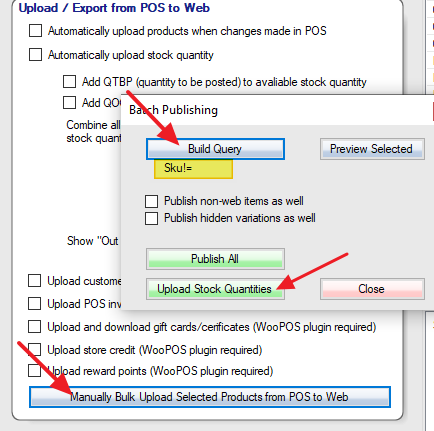
Build a query Sku!= (SKU not equal to blank, which means all SKUs)
The salespersons won’t be payable users as long as they don’t log in as cashier(front end) or login to the backend. Timecard (employee time tracking) feature won’t count as a payable user either.
If you pay $99 per computer, the user is unlimited. Here’s the example:
If one user and one computer, it will be $39.
If two users and one computer, it will be 39X2=78.
If one user and two computers, it will be 39X2=78.
If 3 or more users and one computer, it will be $99.
Please check the data sync log and search for the SKU if the SKU is in the pending, or failed, or success list. If you know the SKU and cannot find the problem, please email the example SKU to support@ woopos.com.
I am not sure if it is possible. You can upload the scanned file from DL-AXIST to the POS front end. But this is not an efficient way. I think you should try another USB or BlueTooth, 1D or 2D scanner, they are not expensive anyway.
Great. We added support to Android 9 last year. The scanner you are using is Android 4.1. We will test again on older Android devices.
