
Forum Replies Created
-
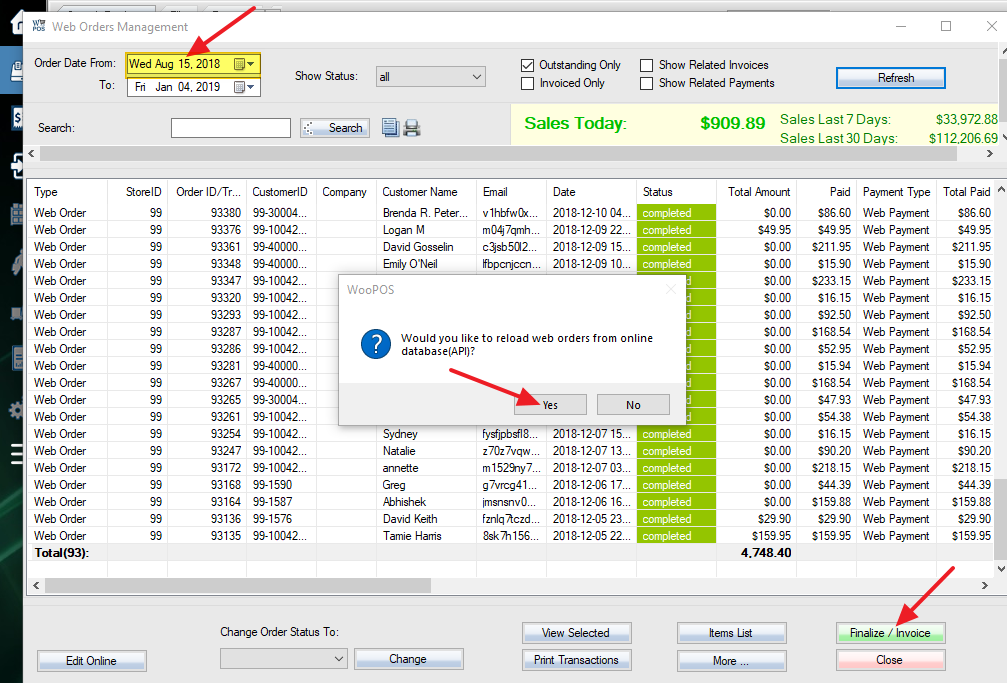
Please first make sure sync is up to date. Follow this and re-import web orders.
If you find any problems, please send us an example SKU.
For printer, use Generic text only printer (in Windows printer setup, not driver needed)
USB scanner: just plugin, should work.
Pole display: You can test it, Send us the menu if not working. Recommend to use a second monitor instead of pole display.
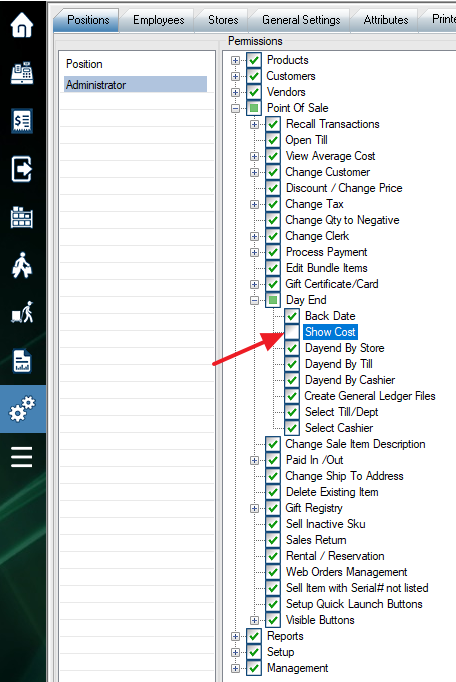
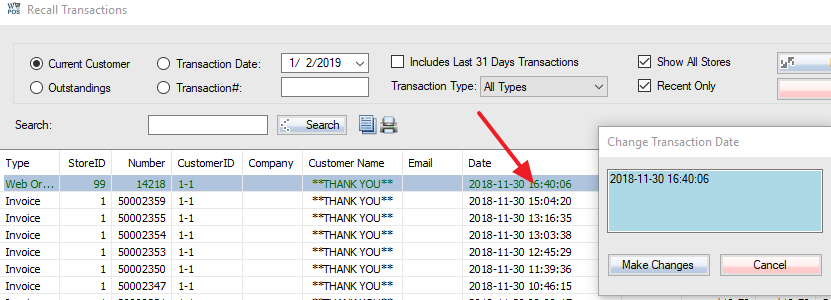
Enable switch 100 in store settings. Double click the date and make the change. Admin login required.
Please get the upgrade first. Delete the location in store settings. Save the store settings. This will move all the stock to the default location. You can add the location back if you need to reuse it.
Yes, you can add image or document (or other types) to customer attribute or CRM attribute. For transaction or event tracking, please use CRM (button in customer info) function.
Please do not add too many big files to the system, as database size is limited.
You can check this article:
Instead of “CreditAdjust” SKU, you can put ” VolunteeringReward” as SKU (or any SKU) and the description you like (leave it blank if you want to add description dynamically in POS).
Can you get the upgrade and try again? If it still doesn’t work, please send us a screenshot and a video by email.
You can print “Sales By Customer” report, build a query like “Net Sales > 10000”.
You can also go Setup->General Settings->Reset Customers Total Revenue, print “Customer Listing” report, build the query by Revenue. Use “Raw Data” option to get an Excel file with customer listing.
You can import an Excel or csv file to PO. The file should include these columns:
Sku or Product number, Cost, QuantityLooks like you uninstalled SQL database before initial synchronization with cloud database. You can delete C:\WooPOS folder or C:\WooPOS\LocalSettings folder. Reinstall WooPOS by using a different Email account. There’s no difference between the free version and the pro version installer. We’ll send you the bill monthly based on your last month’s usage.
How many vendors do you have? Each vendor will have their own products, inventory, and employees? Do you want them to sell on your website and use their own POS with everything separated?
Sorry. We don’t support multi-vendor marketplace at this moment.
Did you use the magnifying glass icon to search? You should not use this function if you use the scanner. Just use the text input box beside the magnifying glass icon to scan the barcode into the inventory count batch. Please email us screenshots with the example SKU if anything wrong.
Sorry. We have no idea. It doesn’t seem to be POS related. You can do some testing, or have somebody to check WooCommerce/plugin settings.