

Forum Replies Created
-
Do you want to manual discount or auto discount when selling? Or bulk change regular price in product list?
Just create two users, give them store access permission for the store. In “Printers and local settings”, set up “When starting, login to store id”. Let them do “DayEnd by cashier” (for each cashier) first, and then “Dayend by store” (merge cashiers).
wcpos.com and woopos.com are different websites. WooPOS is a Windows desktop app with high-end features. If you have questions on wcpos, please contact them directly. Thanks.
You should receive negative payment on the special order transaction to zero the balance. And then void the special order. The special Sku has not been invoiced yet, so there’s nothing to return.
Our cloud databases are secured, all transmissions are encrypted. You should not store sensitive data in the database anyway. You can keep your database internally. But this may cost us extra works to set up. Please let us know your plan, we will send you a quote.
Added. You can now enter the SPECIALSKU price without the decimal point. Please get the upgrade.
Ext. Price is Extended Price. It shows the price of the quantity purchased (so if you only buy one of something the ‘price’ and ‘extended price’ can be the same).
We’ve added Reg.PWT (Regular Price With Tax). Please get the upgrade.
This can be done by “package quantity” in SKU settings. You can then add the package quantity instead of item quantity in the purchase order.
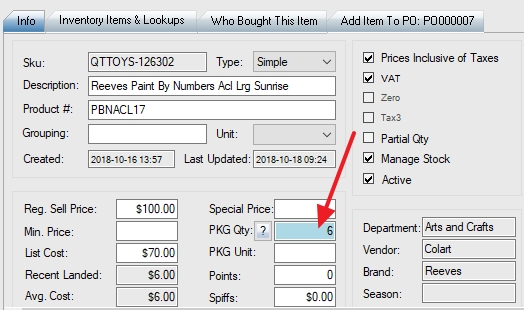
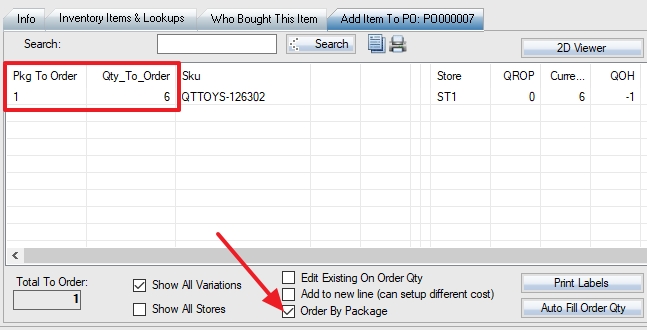
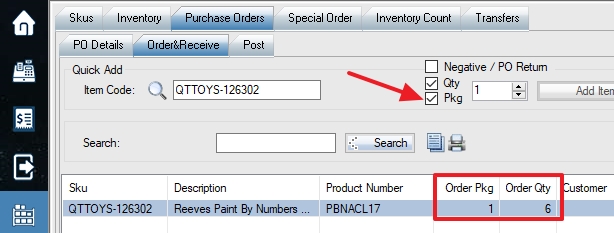
That’s a good point! We have added this feature in. Please get the upgrade and test.
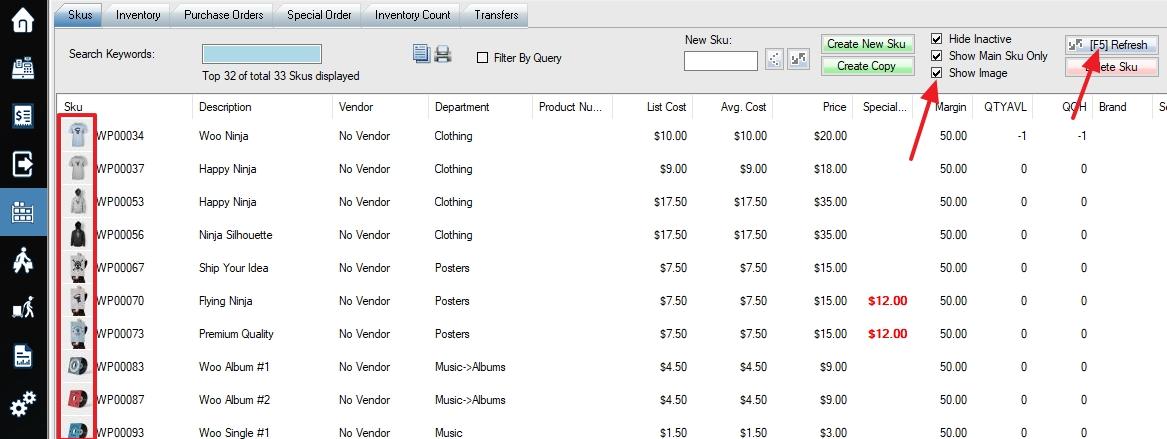
Recommended: We can make all SKUs without activities within a period (eg: one year) to inactive.
Not Recommended: You can enable switch 103 in store settings. When you use “Delete SKU” function, it’ll ask you to select SKUs to delete. Historic sales will be moved to an SKU called DELETEDSKU. Please use the function with caution. Always backup before deleting SKUs.
All images you uploaded to POS will be in local database and cloud database. You can delete (or rename folder first) the images from the computer. Please note the database size is limited to 4G. If you have over 10,000 images, please upload to WooCommerce first, the images will be stored on your website, not in POS databases.
Don’t select “upload to web” and “web visible”, as these are not for image attribute.
